# Purchases Overview Chart

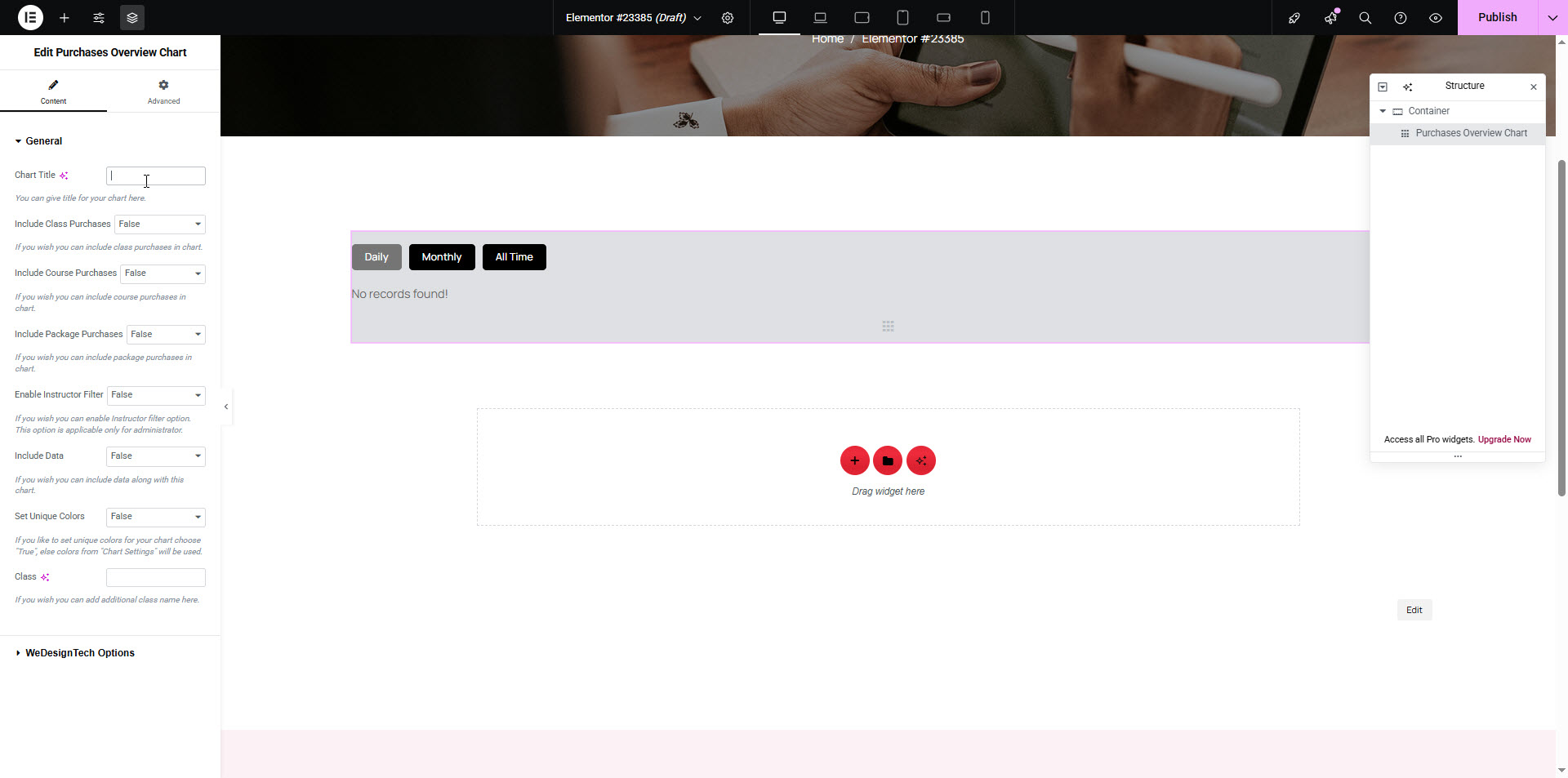
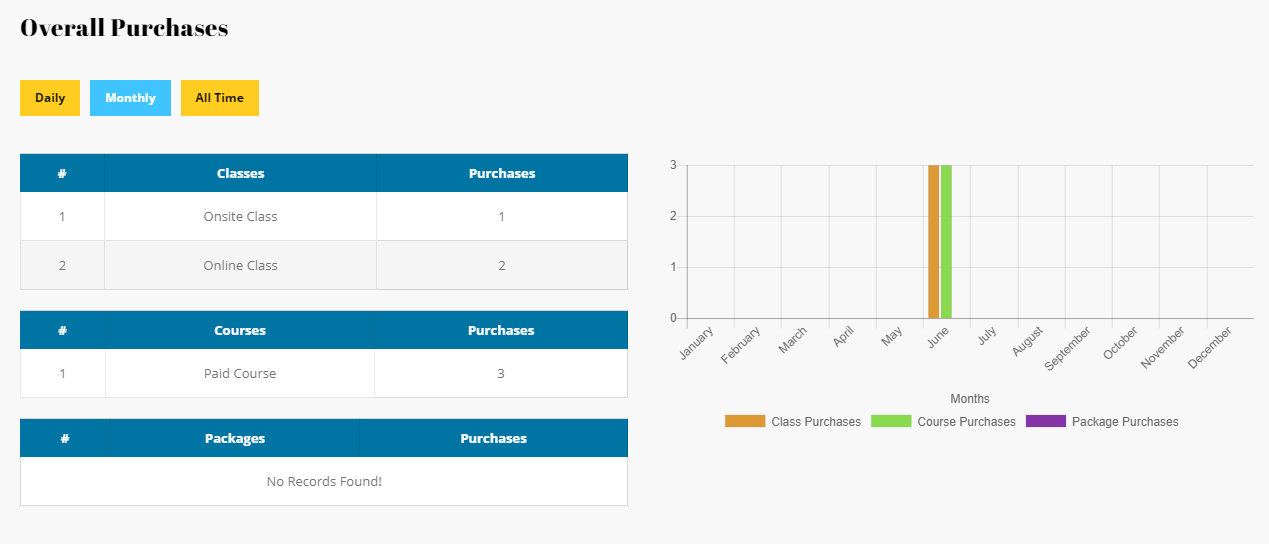
The `[dtlms_purchase_overview_chart]` shortcode displays a bar chart summarizing the number of purchases made for **Courses**, **Classes**, and **Packages**. This is useful for both instructors and administrators to get a quick statistical overview.

<figure><img src="https://content.gitbook.com/content/FWDykheMbBOzsPpHi9FR/blobs/ZcpfAdDWPaU5J3c6O0mN/purchase-overview.jpg" alt=""><figcaption></figcaption></figure>

<table data-header-hidden><thead><tr><th width="232.111083984375"></th><th width="153.4444580078125"></th><th></th></tr></thead><tbody><tr><td><strong>Parameter</strong></td><td><strong>Values</strong></td><td><strong>Description</strong></td></tr><tr><td><code>chart-title</code></td><td><em>Text</em></td><td>Title for the chart display.</td></tr><tr><td><code>include-class-purchases</code></td><td><code>true</code> / <code>false</code></td><td>Include Class purchases in the chart.</td></tr><tr><td><code>include-course-purchases</code></td><td><code>true</code> / <code>false</code></td><td>Include Course purchases in the chart.</td></tr><tr><td><code>include-package-purchases</code></td><td><code>true</code> / <code>false</code></td><td>Include Package purchases in the chart.</td></tr><tr><td><code>enable-instructor-filter</code></td><td><code>true</code> / <code>false</code></td><td>Enable instructor-based filtering (Admins only).</td></tr><tr><td><code>include-data</code></td><td><code>true</code> / <code>false</code></td><td>Show purchase data in a table format below the chart.</td></tr><tr><td><code>set-unique-colors</code></td><td><code>true</code> / <code>false</code></td><td>Use unique colors instead of default ones from Chart Settings.</td></tr><tr><td><code>first-color</code></td><td><em>Color Code</em></td><td>Color for <strong>Class</strong> purchases (only if <code>include-class-purchases</code> is true).</td></tr><tr><td><code>second-color</code></td><td><em>Color Code</em></td><td>Color for <strong>Course</strong> purchases.</td></tr><tr><td><code>third-color</code></td><td><em>Color Code</em></td><td>Color for <strong>Package</strong> purchases.</td></tr><tr><td><code>class</code></td><td><em>Text</em></td><td>Optional class name for custom styling.</td></tr></tbody></table>

<figure><img src="https://content.gitbook.com/content/FWDykheMbBOzsPpHi9FR/blobs/33SrulyLk10GttNENh6q/overall_purchases.png" alt=""><figcaption></figcaption></figure>

```
[dtlms_purchases_overview_chart chart-title="Overall Purchases" include-class-purchases="true" include-course-purchases="true" include-package-purchases="true" enable-instructor-filter="true" include-data="true" set-unique-colors="true"  first-color="#eeee22" second-color="#dd3333" third-color="#dd9933" class="custom-class"]
```